How buying & checkout works
From adding an object to your cart to placing your order, here's what to expect.
Review everything before you pay — your order total, shipping, and payment are shown at checkout.
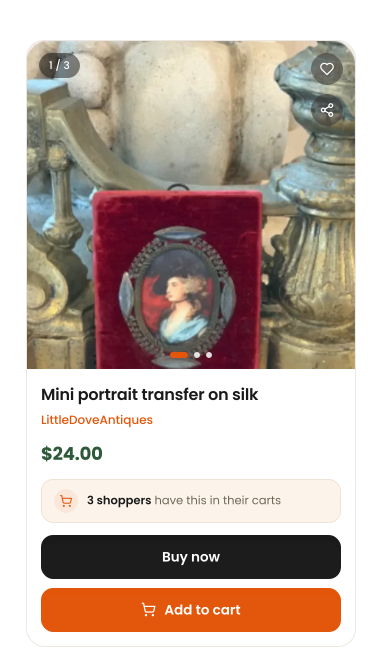
Add the piece to your cart
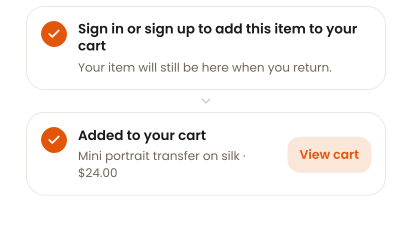
When you've found the piece you want, add it to your cart.
If you're not signed in yet, Pastel asks you to sign in or create an account — then adds the item to your cart automatically.
Review your cart
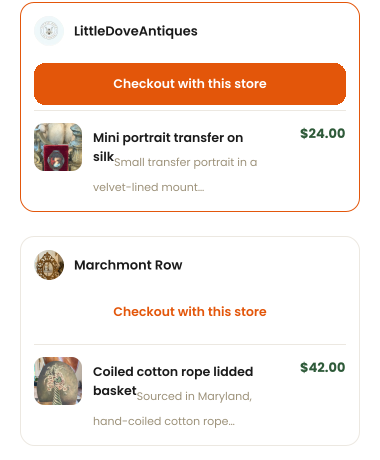
Check the objects you're buying, their sellers, and the totals before you continue.
Your cart groups objects by seller. Each seller is checked out separately, so shipping and totals stay with the shop the piece comes from.
Add your details and review what you're paying
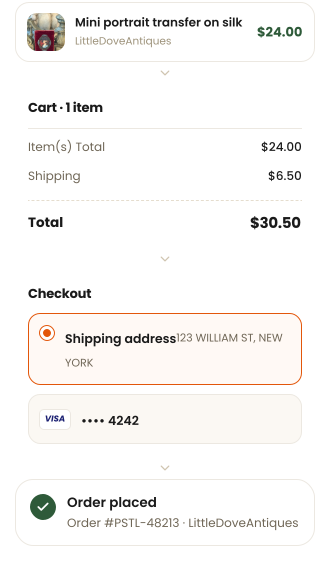
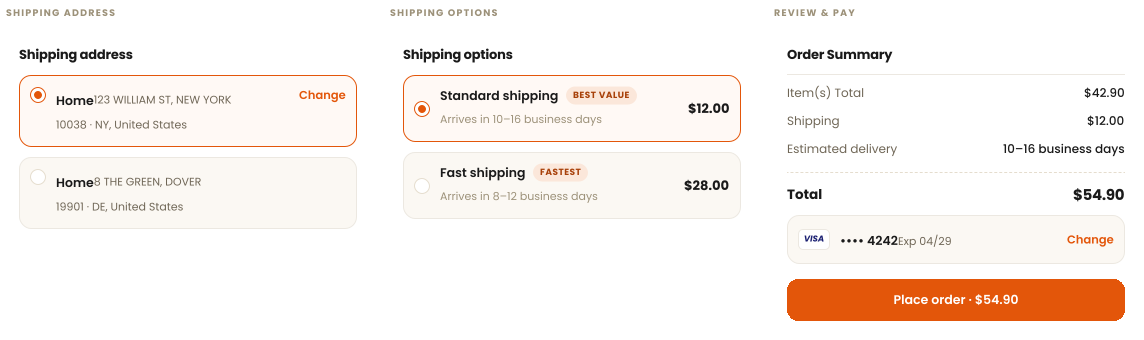
Choose your shipping address and option, check the order summary, then complete your payment.
Totals are shown in full before you pay — Item(s) Total, Shipping, and the estimated delivery window that comes with the option you choose.
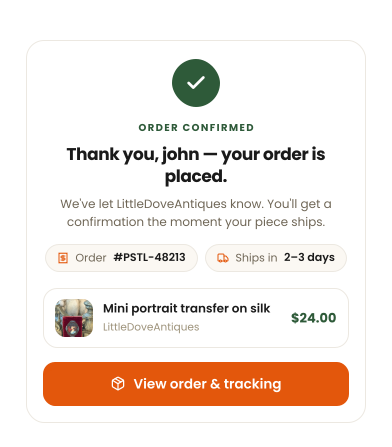
Your order is placed
Once your payment goes through, you'll see your confirmation and can open the order from there.
Your order number and the seller's shop are on the confirmation — the same details you'll find later under your orders.
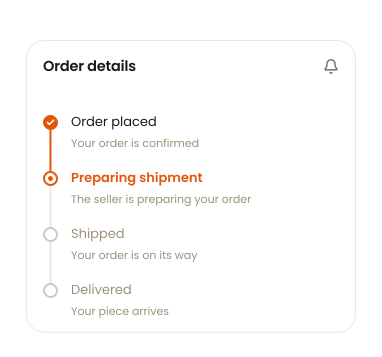
What happens next
You can open your order anytime to see its latest status and delivery information.
Your buying journey
- Add to cartPick the piece
- ReviewCheck your cart
- ShippingAddress and option
- PaymentReview and pay
- Order placedFollow it home
Ready to find your next piece?
Explore Pastel, add something you love to your cart, and we'll guide you through the rest.